
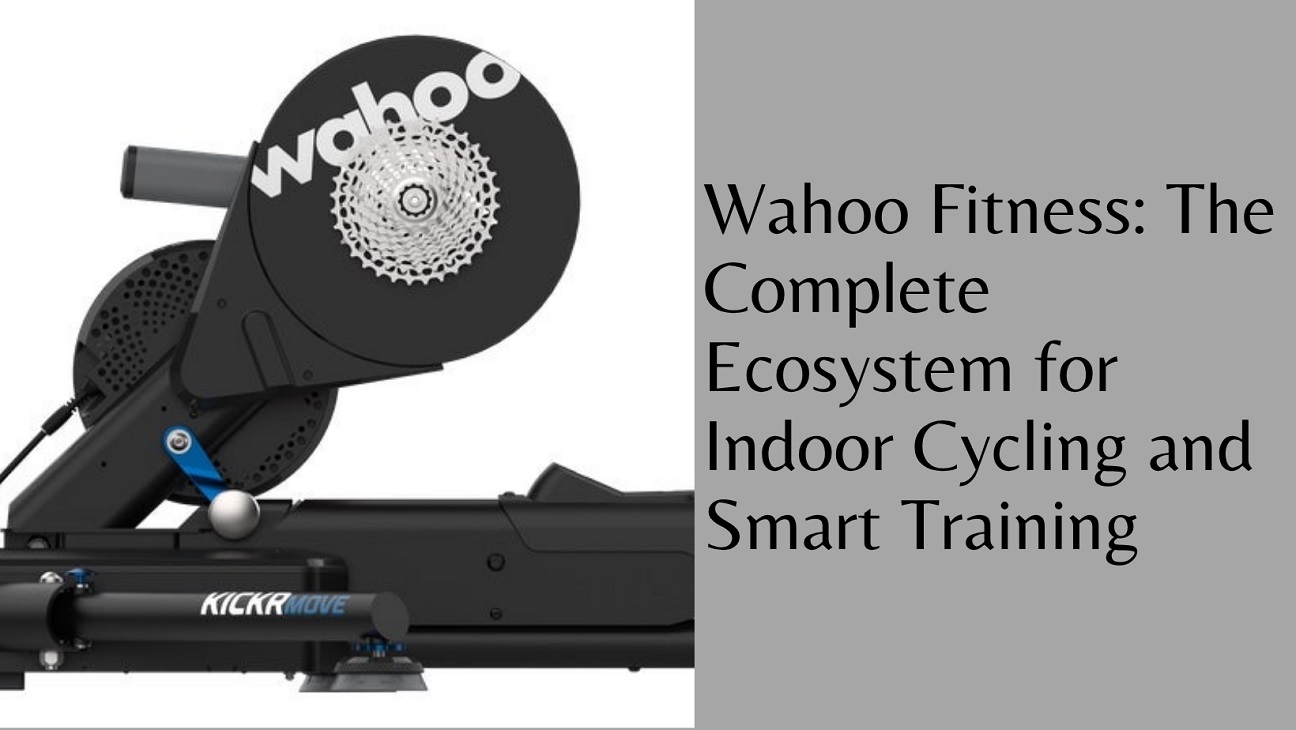
Meta Description: Wahoo Fitness offers a full indoor cycling ecosystem: KICKR V6 smart trainer, ELEMNT ROAM V2 bike computer, TICKR heart rate monitors, Headwind fan & more. Build your ultimate pain cave.
Indoor cycling has exploded in popularity, and one brand consistently sits at the top of nearly every rider’s wishlist: Wahoo Fitness. Known for creating a seamless, fully connected training experience, Wahoo doesn’t just sell hardware — they build an entire ecosystem where smart trainers, bike computers, heart rate monitors, fans, desks, and pedals all talk to each other effortlessly. Whether you’re chasing KOMs on Zwift, logging structured workouts in TrainerRoad, or just spinning to stay fit, Wahoo’s gear makes every pedal stroke count.
In this guide, we’ll walk you through the standout products that define Wahoo Fitness, from the flagship Wahoo KICKR V6 smart trainer to the ultra-accurate Wahoo TICKR heart rate monitor, the game-changing Wahoo ELEMNT ROAM V2 bike computer, and beyond. You’ll discover why thousands of cyclists trust the Wahoo ecosystem to elevate their training, and we’ll show you exactly how to set up your own pain cave like a pro.
What Is Wahoo Fitness?
Wahoo Fitness is an Atlanta-based company that transformed indoor training with its first KICKR smart trainer in 2012. Their mission is simple: build the most connected, intuitive fitness products on the planet. Over the years, they’ve expanded from a single trainer into a sprawling lineup that includes GPS cycling computers, heart rate monitors, smart fans, standing desks, power meter pedals (thanks to the Speedplay acquisition), and the all-in-one Wahoo KICKR BIKE V2. Today, Wahoo also runs the SYSTM training platform (formerly The Sufferfest), which delivers everything from cycling workouts to yoga and mental training sessions.
The secret sauce? Every Wahoo device works with almost every training app — Zwift, TrainerRoad, Rouvy, Apple Fitness+, and of course the free Wahoo Fitness app. This openness, combined with rock-solid reliability and whisper-quiet operation, is why Wahoo is often called the “Apple of indoor cycling.”
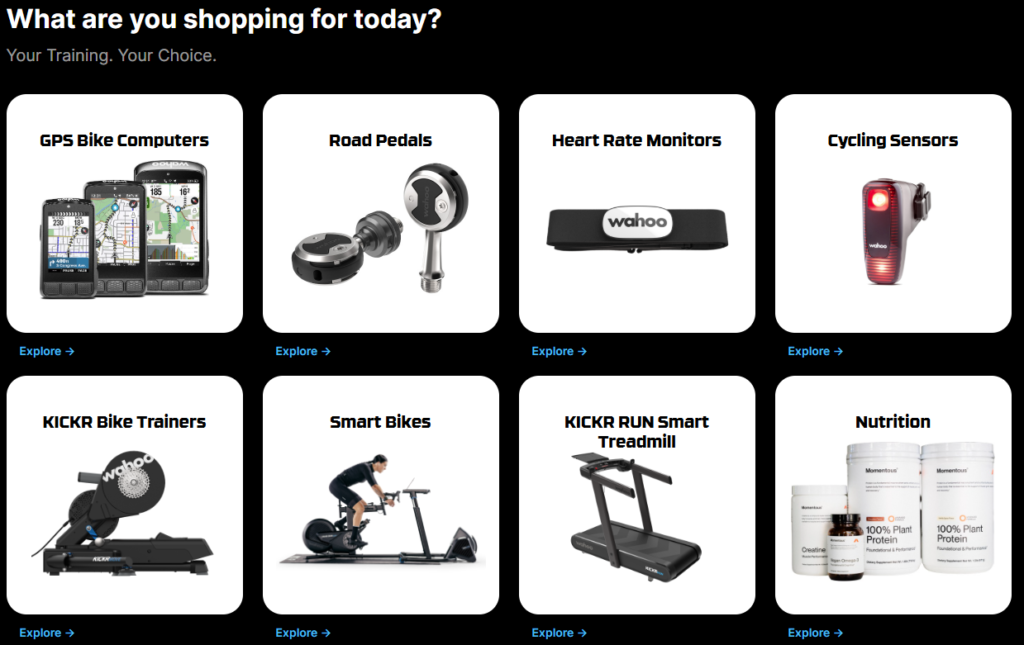
The Wahoo Fitness Ecosystem: Products That Work Together
Wahoo KICKR Smart Trainers: The Heart of Indoor Cycling
If there’s one product that put Wahoo Fitness on the map, it’s the KICKR line. These direct-drive and wheel-on smart trainers are the core of most pain caves.
Wahoo KICKR V6 — The Flagship
The Wahoo KICKR V6 (also listed as KICKR V6 or Wahoo KICKR smart trainer V6) is the gold standard. It offers ±1% power accuracy, a maximum resistance of 2,200 watts, and can simulate gradients up to 20%. The V6 adds Wi-Fi connectivity for faster, more stable data transfer, auto-calibration so you never have to perform a spin-down, and a new ergonomic handle for easy portability. Trainers like this make you forget you’re indoors — the flywheel and motor create a road-like feel that rivals any competitor.
Wahoo KICKR CORE — Pro Performance, Smaller Price
The Wahoo Fitness KICKR CORE bike trainer (often called Wahoo KICKR CORE or Wahoo Core trainer) strips away the bells and whistles but keeps the same legendary power accuracy and silent operation. It lacks Wi-Fi and the carry handle, but for most riders, the Core delivers 95% of the KICKR V6 experience at a much friendlier price point.
Wahoo KICKR SNAP — Wheel-On Convenience
If you want a smart trainer that doesn’t require removing your rear wheel, the Wahoo Fitness KICKR SNAP smart trainer (or Wahoo KICKR SNAP) is the answer. It clamps onto your bike’s back tire and uses a roller, yet still provides accurate power data and automatic resistance changes. It’s ideal for beginners or those who share a trainer with multiple bikes.
Wahoo KICKR BIKE V2 — All-in-One Smart Bike
For riders who want a dedicated indoor setup without mounting their road bike, the Wahoo KICKR BIKE V2 (also known as Wahoo stationary bike or Wahoo exercise bike) offers a fully integrated experience. You can precisely dial in your bike fit, shift virtually, and even simulate gear changes from Shimano, SRAM, or Campagnolo. No chains, no cassettes — just climb on and ride.
Wahoo KICKR ROLLR — Smart Rollers Reimagined
The KICKR ROLLR (or Wahoo ROLLR) brings the thrill of rollers into the smart era. It holds your bike steady with a front wheel gripper, letting you practice balance while still enjoying the resistance control of a direct-drive trainer. Pair it with a power meter and you have a uniquely fun training tool.
ELEMNT GPS Cycling Computers: Navigate and Train Outdoors
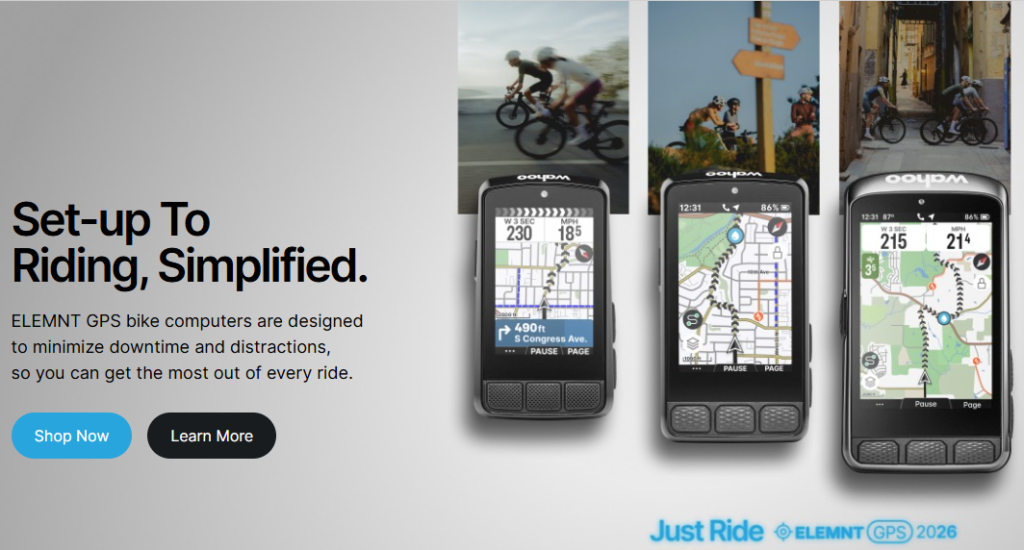
Wahoo’s cycling computers are designed to be the easiest-to-use GPS units on the market.
Wahoo ELEMNT ROAM V2
The Wahoo ELEMNT ROAM V2 (sometimes just ELEMNT ROAM V2 or Wahoo fitness ELEMNT ROAM) features a vivid color screen, on-device turn-by-turn navigation, and automatic route syncing from apps like Strava and Komoot. The V2 upgraded to a 64-color display, longer battery life, and dual-band GPS for pinpoint accuracy even under tree cover. When you pair it with a Wahoo TICKR heart rate monitor, you get live HR data, calories burned, and even V02 max estimates — all on a clean, customizable screen.
Wahoo ELEMNT BOLT V2
The smaller sibling, the Wahoo Fitness ELEMNT BOLT v2, packs the same smart features into an aerodynamic form factor. Both units integrate with Wahoo’s companion app, making setup a breeze (no more fumbling through menus on a tiny screen).
TICKR Heart Rate Monitors: Accurate Data for Every Ride
Heart rate is the cornerstone of endurance training, and the Wahoo TICKR family covers all preferences.
- Wahoo TICKR (or TICKR heart rate monitor / Wahoo TICKR heart rate monitor): The original chest strap, now in its second generation (Wahoo TICKR 2), with dual-band ANT+ and Bluetooth. It’s lightweight, reliable, and pairs with almost every device.
- Wahoo TICKR X (and TICKR X 2): Adds internal memory and advanced running dynamics like cadence, vertical oscillation, and ground contact time. Perfect for multisport athletes.
- Wahoo TICKR FIT: An armband optical HR sensor (Wahoo TICKR FIT heart rate monitor) that straps around your forearm. Ideal for those who find chest straps uncomfortable, yet it still delivers accurate readings for cycling, running, and daily wear.
All TICKR models seamlessly beam heart rate data to the Wahoo Fitness app, ELEMNT bike computers, Zwift, Peloton, and Apple Watch.
Wahoo Headwind Smart Fan: Cooling Based on Effort
Nothing ruins an indoor ride faster than overheating. Enter the Wahoo Headwind (Wahoo KICKR Headwind or Headwind Wahoo fan). This isn’t an ordinary fan — it’s a Bluetooth smart fan that automatically increases airflow as your heart rate or speed rises. Connect a Wahoo TICKR or your KICKR trainer, set the target intensity, and feel the wind follow your effort. There’s even a Wahoo KICKR Headwind fan model that matches the trainer aesthetic perfectly. It’s a must-have for serious indoor cyclists.
KICKR Desk and Indoor Cycling Desk: The Ultimate Setup
The Wahoo KICKR Desk (also called the Wahoo cycling desk, KICKR indoor cycling desk, or simply Wahoo desk) is a sturdy, height-adjustable standing desk built for the pain cave. It holds your laptop, tablet, nutrition, and phone without wobbling, even during out-of-saddle sprints. Paired with a Wahoo Headwind fan and a KICKR trainer, you’ve got a professional-grade indoor cycling station.
Speedplay Pedals and Powerlink Zero Power Meters
When Wahoo acquired Speedplay, they immediately began integrating the iconic lollipop pedals into their ecosystem. Today you can buy:
- Wahoo Speedplay Comp (or Speedplay Comp pedals): Durable chromoly spindles, dual-sided entry, and the lowest stack height of any pedal system.
- Wahoo Speedplay Zero (stainless steel, Wahoo Speedplay Zero pedals): Same great platform with premium bearings.
- Wahoo Speedplay Nano (or Speedplay Nano pedals): Ultra-lightweight titanium spindles for weight weenies.
- Wahoo Speedplay Aero pedals: Optimized for aerodynamic performance.
- Wahoo Powerlink Zero (or Powerlink Zero pedals / Wahoo Powerlink pedals): These are Speedplay Zero pedals with a built-in dual-sided power meter. You get accurate left/right power balance, cadence, and all the data your KICKR or ELEMNT can read. The Wahoo Powerlink Zero pedals are a drop-in upgrade for any bike, turning your outdoor rig into a data powerhouse.
Wahoo App and SYSTM Training Platform
The free Wahoo Fitness app is your command center. It pairs with all Wahoo devices, allows you to perform spin-downs, update firmware, and even record basic indoor and outdoor rides. For a deeper training experience, Wahoo SYSTM (formerly The Sufferfest) delivers comprehensive multisport plans, yoga, strength workouts, and mental toughness drills — all designed by world-class coaches. You can also use the Wahoo app to control the KICKR BIKE V2, adjust resistance, and customize the Wahoo Headwind fan settings.
Why Choose Wahoo Fitness? Key Benefits
- Seamless Integration: All Wahoo devices talk to each other out of the box. Pair your TICKR HR monitor, KICKR trainer, and Headwind fan, and let the Wahoo app orchestrate everything.
- Industry-Leading Accuracy: ±1% power accuracy on KICKR trainers and Powerlink pedals means you can trust your data for serious training.
- Whisper-Quiet Operation: Direct-drive KICKR V6 and CORE units are so silent, your drivetrain makes more noise than the trainer.
- Regular Firmware Updates: Wahoo continuously improves features. The KICKR V6 got race mode for Zwift and virtual shifting, all via free updates.
- Open Platform: Works with Zwift, TrainerRoad, Apple Fitness+, Peloton, and virtually any app that supports Bluetooth or ANT+.
- Robust Community and Support: From comprehensive setup videos to a responsive customer support team, Wahoo helps you get rolling quickly.
Setting Up Your Wahoo KICKR Smart Trainer: A Step-by-Step Guide
Getting started with a Wahoo KICKR V6 (or any Wahoo Fitness KICKR smart trainer) is easier than you think.
- Unbox and Position: Place your KICKR on a Wahoo KICKR floor mat (KICKR trainer floormat) to protect floors and reduce vibration. Attach the KICKR axis feet if you want slight side-to-side movement (KICKR V5/V6).
- Install a Cassette: If your bike uses a thru-axle, ensure you have the right adapter — many riders need a Wahoo thru axle adapter or the Wahoo KICKR snap thru axle adapter for wheel-on models. Mount the same cassette size your bike uses (e.g., 11-28T). For the KICKR CORE, a common setup requires a quick release or KICKR Core quick release skewer.
- Connect Power and Wi-Fi: Plug in the trainer, then use the Wahoo app to connect it to your home Wi-Fi for the most stable data transmission.
- Mount Your Bike: For direct-drive trainers, remove your rear wheel and slide the bike onto the trainer’s axle. For Wahoo KICKR SNAP, clamp the roller to the tire and inflate to recommended pressure.
- Pair Sensors: Open the Wahoo app, Zwift, or your preferred app, and pair the KICKR as a controllable trainer, power source, and cadence sensor. If you’re using a Wahoo TICKR, pair it as a heart rate monitor.
- Perform a Spin-Down (if needed): The KICKR V6 auto-calibrates; older models may require a quick spin-down from the app.
- Set Up Your Accessories: Position your Wahoo KICKR Desk, plug in the Wahoo Headwind fan, and pair it with your HR monitor to let it automatically control airflow.
- Start Riding: Launch your workout in Wahoo SYSTM, Zwift, or Apple Fitness+, and enjoy a fully connected indoor cycling experience.
Frequently Asked Questions
1. What’s the difference between the Wahoo KICKR V6 and KICKR CORE?
The Wahoo KICKR V6 offers Wi-Fi, a carry handle, auto-calibration, and a slightly larger flywheel for a road-like feel. The Wahoo KICKR CORE lacks Wi-Fi and the handle but provides the same ±1% power accuracy and quiet operation at a lower cost.
2. Can I use Wahoo products with Zwift?
Absolutely. Every Wahoo Fitness smart trainer, including the Wahoo KICKR SNAP, KICKR CORE, and KICKR BIKE V2, works seamlessly with Zwift, TrainerRoad, and most training apps via Bluetooth or ANT+.
3. Do I need a separate speed sensor with a Wahoo smart trainer?
No. The KICKR units transmit speed, cadence, and power data directly. However, if you use a Wahoo RPM speed sensor on a non-smart indoor bike, you can connect it to the Wahoo app to add virtual speed data.
4. How do I connect my Wahoo TICKR heart rate monitor?
Put on the Wahoo TICKR chest strap or the Wahoo TICKR FIT armband, open your phone’s Bluetooth settings or the Wahoo Fitness app, and select the sensor. It will also automatically pair with Zwift and ELEMNT bike computers when in range.
5. Is the Wahoo Headwind fan compatible with non-Wahoo trainers?
Yes. The Wahoo KICKR Headwind fan pairs via Bluetooth and can read heart rate from any standard BLE heart rate monitor (including non-Wahoo brands) or even speed data from a cadence sensor.
6. What’s the best Wahoo indoor cycling setup for beginners?
Start with the Wahoo KICKR CORE smart trainer, a Wahoo TICKR heart rate monitor, the free Wahoo Fitness app, and a basic fan. Add a Wahoo KICKR Desk and Headwind later as your training space evolves.
7. Does Wahoo offer a complete exercise bike?
Yes. The Wahoo KICKR BIKE V2 (often called a Wahoo stationary bike or Wahoo exercise bike) is a fully adjustable smart bike with integrated shifters, gradient simulation, and no need to mount your outdoor bike.
Conclusion: Build Your Ultimate Wahoo Fitness Pain Cave
Wahoo Fitness has mastered the art of making indoor cycling feel as engaging and connected as riding outdoors. From the whisper-quiet Wahoo KICKR V6 to the do-it-all Wahoo ELEMNT ROAM V2, the accurate Wahoo TICKR heart rate monitors, and the thoughtful accessories like the Wahoo Headwind smart fan and KICKR Desk, every piece of the ecosystem is designed to work in harmony. Add in the Speedplay power meter pedals and the free Wahoo app, and you’ve got a training environment that can genuinely transform your fitness.
Whether you’re a Zwift racer, a triathlete chasing marginal gains, or a casual rider looking to stay fit through the winter, Wahoo delivers tools that grow with you. So pick your trainer, strap on a TICKR, fire up the Wahoo Fitness app, and start pedaling toward your goals — you’ll wonder why you didn’t build your Wahoo-powered pain cave sooner.
Ready to explore the latest deals? Check out our detailed product comparisons and buying guides to find the perfect Wahoo gear for your needs.




Leave feedback about this