
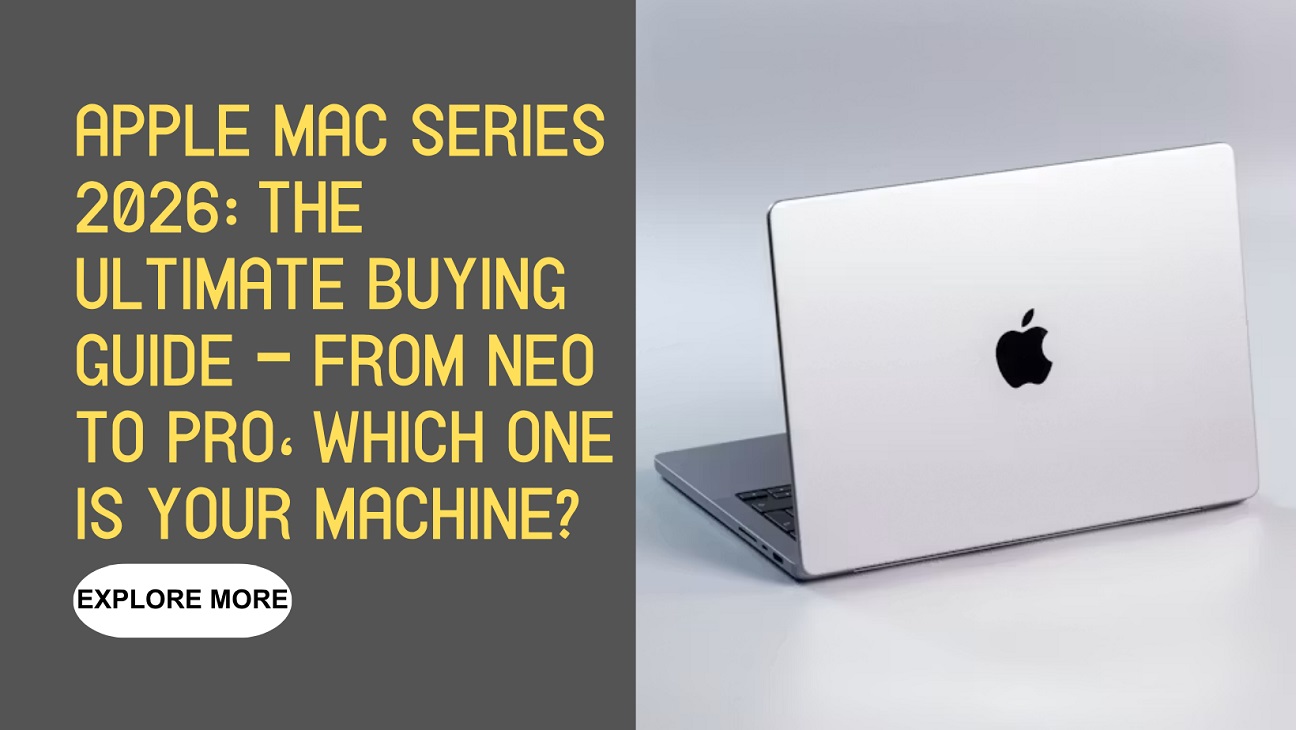
Meta Description: 2026 Apple Mac lineup deep-dive: MacBook Neo, Air M5, Pro M5 – which one is right for you? M5 chip performance, prices, and buying advice. No more decision paralysis.
Introduction: When “Choice Paralysis” Meets the 2026 Mac Family
Have you ever found yourself on Apple’s website, staring at a wall of options – MacBook Neo, MacBook Air, MacBook Pro, iMac, Mac mini – and felt your brain slowly shutting down? You’re not alone.
The 2026 Apple Mac lineup is the most diverse in the company’s history. From the $599 entry-level MacBook Neo to the monstrous M5 Max MacBook Pro, from the beautifully redesigned iMac M4 to the palm-sized Mac mini – there’s a Mac for everyone. But with more choice comes more confusion.
“Just buy the most expensive one” is the biggest consumer trap.
This article is your 2026 Apple Mac “解毒指南” – your antidote to decision paralysis.
The Big Picture: Apple’s Most Ambitious Product Lineup Ever
Why Apple “Fractured” the Mac
For years, Apple’s Mac lineup was simple: Air for thin-and-light, Pro for power. But the Spring 2026 keynote changed everything.
Apple unveiled:
- MacBook Neo – the “cheapest Mac ever” with an A18 Pro chip
- MacBook Air M5 – the ultraportable benchmark, refined
- MacBook Pro M5 / M5 Pro / M5 Max – a three-tier performance powerhouse
- iMac M4 – desktop elegance meets M4 performance
- Mac mini M4 – the tiny desktop that punches way above its weight
Apple also discontinued the Mac Pro (not the MacBook Pro) on March 26, 2026, making the Mac Studio the new top-tier desktop option.
The strategy is clear: Apple wants everyone on a Mac. Student, CEO, writer, 8K video editor – there’s now a Mac built exactly for you.
The M-Series Chip: Apple’s “Performance Nuke”
The soul of the 2026 Mac lineup is the second-generation 3nm M5 chip family.
The base M5 features a 10-core CPU (4 performance cores + 6 efficiency cores) and up to a 10-core GPU. But here’s where it gets exciting: Apple claims the M5 delivers up to 4x faster AI performance than the previous generation and up to 8x faster than the M1 series.
The M5 Pro and M5 Max take things to another level with a new CPU architecture – 18 cores (6 “Super Cores” + 12 performance cores). The M5 Pro supports up to 64GB unified memory, while the M5 Max pushes that to a staggering 128GB.
Deep Dive: Every 2026 Mac, Reviewed
1. MacBook Neo: The $599 “Apple Ecosystem Ticket”
Keywords: entry-level, student, budget, secondary laptop
The MacBook Neo is 2026’s biggest surprise – not because it’s the fastest Mac, but because it makes owning a Mac affordable for everyone.
Core Specs:
- Chip: Apple A18 Pro (same as iPhone 16 Pro)
- Display: 13-inch Liquid Retina
- Memory: 8GB unified
- Storage: 256GB / 512GB SSD
- Battery: Up to 16 hours
- Weight: 2.7 pounds (1.23 kg)
- Starting Price: $599 (originally; increased to $699 in June 2026)
How Does It Actually Perform?
Here’s the truth: the A18 Pro’s Geekbench scores approach M3/M4 levels for single-core and slightly exceed M1 for multi-core. For daily tasks – web browsing, Office apps, video streaming, light photo editing – it’s more than enough.
PCMag called it “2026’s breakout budget laptop” and said “Apple nailed it”. Trusted Reviews gave it a near-perfect score, calling it “a laptop that’ll change cheap laptops forever”.
The Catch:
8GB of RAM is soldered – no upgrades later. If you’re the type who keeps 20 Chrome tabs open while running Photoshop, you might feel the squeeze.
One-line verdict: If you’re on a budget and don’t know what to buy – get the Neo. You won’t regret it.
2. MacBook Air M5: The “Swiss Army Knife” of Laptops
Keywords: mainstream, all-rounder, ultraportable, long battery life
If the Neo is “good enough,” the MacBook Air M5 is genuinely excellent. PCMag gave it an Editors’ Choice award. Digital Trends called it “boring has never been this good”.
Core Specs:
- Chip: Apple M5 (10-core CPU, 8 or 10-core GPU)
- Display: 13.6-inch Liquid Retina (2560×1664)
- Memory: 16GB unified (new baseline!)
- Storage: 512GB SSD (double the previous model!)
- Battery: Up to 18 hours
- Weight: 2.7 pounds (1.24 kg)
- Starting Price: $1,099 (increased to $1,299 in June 2026)
Why It’s Worth the Extra Money:
First, the M5 chip. Benchmarks show the M5 MacBook Air scoring ~4,190 in single-core and ~17,073 in multi-core on Geekbench 6 – that’s 9.34% faster single-core and 13.56% faster multi-core than the M4 Air. In real-world terms: it’s snappier, more responsive, and handles anything you throw at it.
Second, double the storage. The base model now starts with 512GB instead of 256GB – a meaningful upgrade that justifies the price bump. SSD speeds are also up to 2x faster than the M4 generation.
Third, it’s fanless. Completely silent. But that’s also the trade-off – under sustained heavy load (about 30+ minutes), it will throttle to about 80% performance.
13-inch vs 15-inch: Which One?
If you want a bigger screen without the Pro’s bulk, the 15-inch MacBook Air is the perfect middle ground. It’s cheaper than the Pro, bigger than the 13-inch Air – but no ProMotion 120Hz display.
One-line verdict: For 90% of people, the MacBook Air M5 is “the best Mac” – period.
3. MacBook Pro M5: The Creative’s “Mobile Workstation”
Keywords: professional, high-performance, creative, video editing
The MacBook Pro isn’t built for “good enough.” It’s built for “is there anything this can’t do?”
Core Specs (16-inch M5 Max):
- Chip: M5 Max (18-core CPU + 40-core GPU)
- Memory: Up to 128GB
- Storage: Up to 4TB
- Display: 16-inch Liquid Retina XDR, 3456×2234, 120Hz ProMotion, up to 1,600 nits HDR
- Battery: Up to 24 hours
- Starting Price: $1,699 (increased to $1,999 in June 2026)
How Fast Is It, Really?
In Cinebench 2026, the M5 Pro scores around 7,105, while the M5 Max hits a staggering 9,262 – a 30% performance gap.
The M5 Max’s Geekbench Metal score reaches 217,359, placing it between mobile RTX 5050 and RTX 5060-class GPUs.
And the SSD? The 16-inch M5 Max’s 4TB drive hits read speeds of ~13.6GB/s and writes of ~17.8GB/s – about 2x faster than the M4 generation.
The One “Gotcha”:
Thermals. The Pro has active cooling (fans), but under极限负载, the 14-inch and 16-inch models show different thermal performance. If you’re running sustained heavy workloads, the 16-inch is the safer bet.
Nano-texture Glass – Worth It?
If you work in bright conditions (outdoors, near windows), the nano-texture display option is genuinely transformative – it kills glare without sacrificing clarity.
One-line verdict: If you make your living on a Mac (video editing, 3D rendering, software development), the Pro is the only answer.
4. iMac M4: Desktop Art + Desktop Power
Keywords: all-in-one, design, home, creative
What are you really buying when you spend over $1,000 on an iMac?
You’re buying a 24-inch 4.5K Retina display (4480×2520, 218ppi, 1 billion colors). You’re buying everything-in-one elegance – power cable, signal, stand all hidden behind a single, gorgeous screen.
Performance:
- Chip: M4 (10-core CPU + 10-core GPU)
- Memory: 16GB unified (new baseline, no price increase)
- Storage: 256GB / 512GB SSD
- Compared to M1 iMac: Up to 1.7x faster for daily productivity, 2.1x faster for photo editing and gaming
Starting at **$1,299** (increased to $1,499 in June 2026), the iMac M4 is a statement piece as much as a computer.
One-line verdict: Perfect for design-conscious home users who want a beautiful, “just works” desktop.
5. Mac mini M4: Smallest Size, Biggest Surprise
Keywords: desktop, value, studio, compact
The Mac mini M4 might be the most underrated Mac of 2026.
How small is it? About half the size of the previous generation – roughly 1/20th the volume of a typical PC tower.
How powerful? Compared to the M1 Mac mini, the M4 delivers up to 1.8x faster CPU and 2.2x faster GPU performance.
Music producers are calling it “a machine that could last a decade or more”. Gamers have found that nearly 300 titles are playable, with most recent AAA games hitting 1080p60 or 2K30 at medium settings.
Starting at just **$799** (roughly $580 USD equivalent), the Mac mini M4 won a Red Dot Design Award in 2026.
One-line verdict: If you already have a monitor, keyboard, and mouse, the Mac mini is the best value Mac on the market.
At a Glance: 2026 Mac Comparison Table
| Model | Best For | Starting Price (Post-June 2026) | Core Strength | Biggest Weakness |
|---|---|---|---|---|
| MacBook Neo | Students, budget buyers | $699 | Lowest price, great battery | 8GB RAM, non-upgradable |
| MacBook Air M5 | Most people | $1,299 | Thin, light, 18hr battery, 512GB base | Fanless – throttles under load |
| MacBook Pro M5 | Video editors, devs | $1,999 | Insane performance, great ports | Expensive, heavier |
| iMac M4 | Home, designers | $1,499 | Stunning 4.5K display, elegant design | Can’t upgrade, premium price |
| Mac mini M4 | Existing setup owners | ~$799 | Best value, tiny size | Needs external display |
5 “Pitfall” Warnings for 2026 Mac Buyers
Pitfall 1: Chasing “Max” When You Don’t Need It
The M5 Max is a beast. But if you’re writing documents and watching YouTube, the M5 Air or even Neo is more than enough. Paying for power you’ll never use is the biggest waste of money.
Pitfall 2: Ignoring the “No Upgrade” Reality
All M-series Macs have soldered RAM. Whatever you buy is what you’re stuck with for the life of the machine. Think hard: is 16GB enough for the next 3-4 years? If not, buy more upfront.
Pitfall 3: Falling for the “Starting At” Price
Apple’s “starting at” price is almost always the 8GB/256GB base model. Real-world price is often 20-30% higher once you configure something usable.
Pitfall 4: Ignoring Thermal Differences
The Air has no fan; the Pro does. If you need sustained high performance (long video exports, 3D rendering), don’t buy the Air.
Pitfall 5: Not Watching the Price Trends
In June 2026, Apple implemented a global price hike – $100 on the Neo, $200 on the Air, $300 on the Pro. The reason? A memory and storage chip shortage caused by AI data center expansion. If you’ve been eyeing a Mac, waiting might cost you more.
Key Insights: 2026 Mac Series Core Takeaways
- Most diverse lineup ever – From $699 Neo to fully-loaded Pro, every budget is covered
- M5 chip is a performance leap – Up to 4x faster AI than M4, 8x faster than M1
- 16GB RAM is the new baseline – Air and Pro now start at 16GB
- Storage doubled across the board – Air starts at 512GB, SSD speeds up to 2x faster
- Neo is the biggest surprise – A real Mac experience for under $700
- Price hikes are here – June 2026 saw global increases of 15-25%
- Mac mini is seriously underrated – Smallest size, best value
Expert Take: Apple’s “Master Plan” and the Future of Mac
The 2026 Mac lineup reveals a clear Apple strategy: make owning a Mac the natural choice, not a luxury one.
The MacBook Neo, at $699, pulls in users who might have otherwise bought a Windows laptop or Chromebook. Once you’re in the ecosystem – once you experience macOS’s fluidity, iCloud’s seamlessness, the “Handoff” between iPhone and Mac – you’re not leaving.
And the M5 chip’s AI performance leap? That’s Apple future-proofing for the next computing era. When AI applications truly explode, M5 Mac users will be running faster than the competition.
FAQ: Your Top 8 Questions About the 2026 Mac Lineup
Q1: Which 2026 Mac is the best value for most people?
A: The MacBook Air M5 (13-inch) hits the sweet spot – great performance, 16GB RAM, 512GB storage, 18-hour battery, all in a thin, light package. Budget? Get the Neo. Pro needs? Get the Pro.
Q2: Is the MacBook Neo powerful enough for daily use?
A: Absolutely. The A18 Pro chip handles web browsing, Office, streaming, and light photo editing with ease. Just don’t expect to edit 4K video or run 3D renders.
Q3: How much faster is M5 vs M4?
A: About 9-15% faster in CPU benchmarks. The bigger leap is AI performance – up to 4x faster – and SSD speeds – up to 2x faster.
Q4: MacBook Air vs Pro – how do I choose?
A: Daily work, coding, light editing → Air. 4K/8K video, 3D rendering, heavy dev work → Pro. The Pro has active cooling (fans) and a much more powerful GPU.
Q5: Is 16GB RAM enough?
A: For most users, yes. But if you regularly run Final Cut Pro + Logic Pro + 50 browser tabs simultaneously, consider 24GB or higher. Remember: you can’t upgrade later.
Q6: Who is the Mac mini M4 for?
A: People who already have a monitor, keyboard, and mouse. Music producers, home users, anyone wanting a cheap entry into the Mac desktop ecosystem. Incredible value.
Q7: Why did Mac prices go up in 2026?
A: A global memory and storage chip shortage, driven by AI data center expansion, forced Apple to raise prices across the Mac and iPad lineup in June 2026. Increases ranged from $100 to $300 depending on the model.
Q8: Buy now or wait for the next generation?
A: The M5 series just launched – now is a great time to buy. Apple’s chip cycle is typically annual, so the M6 likely won’t arrive until 2027. Plus, prices already went up in June 2026 – another hike soon is unlikely.




Leave feedback about this