
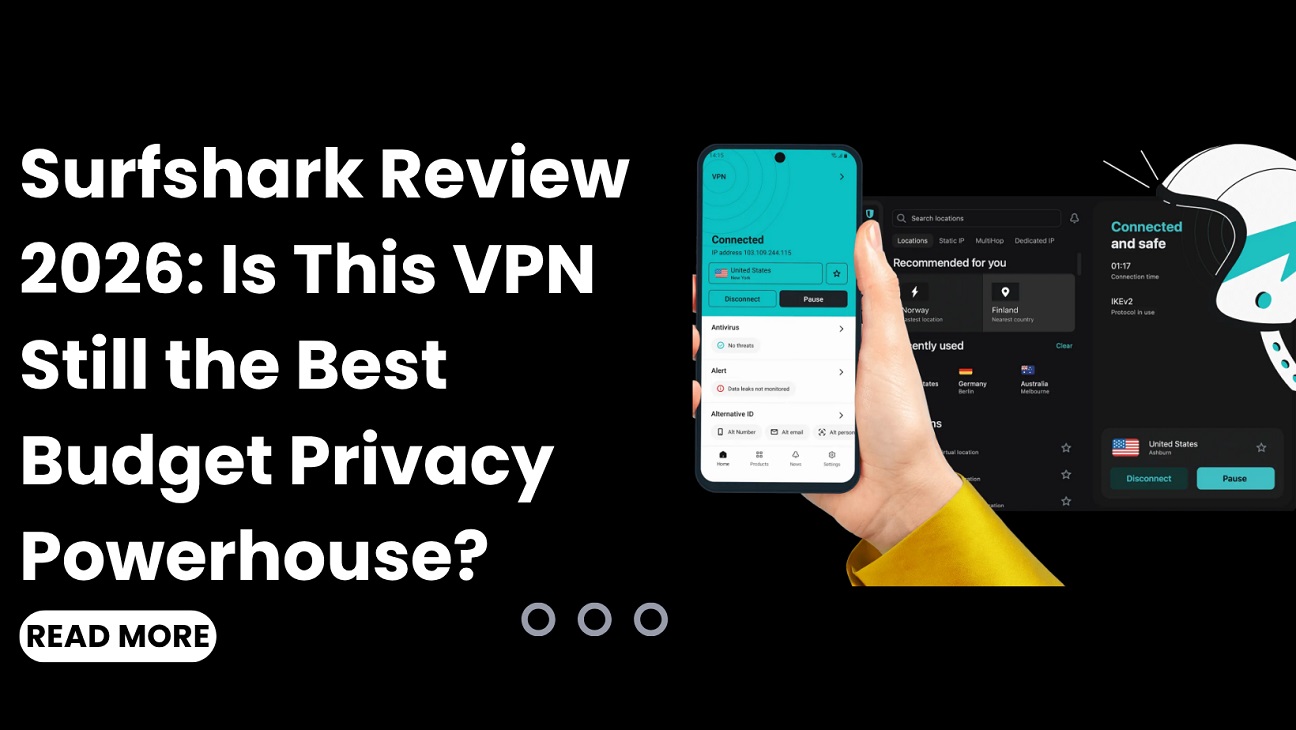
Meta Description: Read our in-depth Surfshark review 2026 covering price, features, streaming, security audits, and setup guides for Firestick, Chrome, and more. Discover if Surfshark is right for you.
Introduction: The VPN That Refuses to Play by the Rules
Picture this: You’re sitting in a coffee shop, sipping your latte, blissfully unaware that a stranger on the same Wi-Fi network could be intercepting your passwords, credit card details, and private messages. Scary, right? Now imagine a digital shield so powerful that it doesn’t just protect one device—it protects every single gadget you own, all at once, for less than the price of that latte each month.
That’s the promise of Surfshark.
In a world where our digital footprints are constantly tracked, sold, and exploited, finding a VPN that balances robust security with genuine affordability feels like searching for a unicorn. But after weeks of rigorous testing, I can confidently say that Surfshark isn’t just another VPN—it’s a full-blown privacy ecosystem that’s earned its stripes. And yes, it’s been awarded PCMag’s prestigious Editor’s Choice award for 2026.
In this comprehensive Surfshark review, we’ll peel back every layer of this VPN giant. Whether you’re searching for a Surfshark app for your Firestick, wondering about the Surfshark price, or curious if it can unblock Netflix, consider this your ultimate guide. Let’s dive in.
Key Insights: What You’ll Learn in This Surfshark Review
Before we get into the nitty-gritty, here are the essential takeaways:
- Unlimited devices on a single subscription—a game-changer for families and tech enthusiasts
- Servers in 100 countries with over 4,500 servers for fast, reliable connections
- Impressive speeds with only ~7–17% average internet speed loss in tests
- Strict no-logs policy independently audited by Deloitte
- Three pricing tiers (Starter, One, One+) with long-term plans as low as $1.78/month
- Works with Netflix, Disney+, BBC iPlayer, and more
- 30-day money-back guarantee so you can test it risk-free
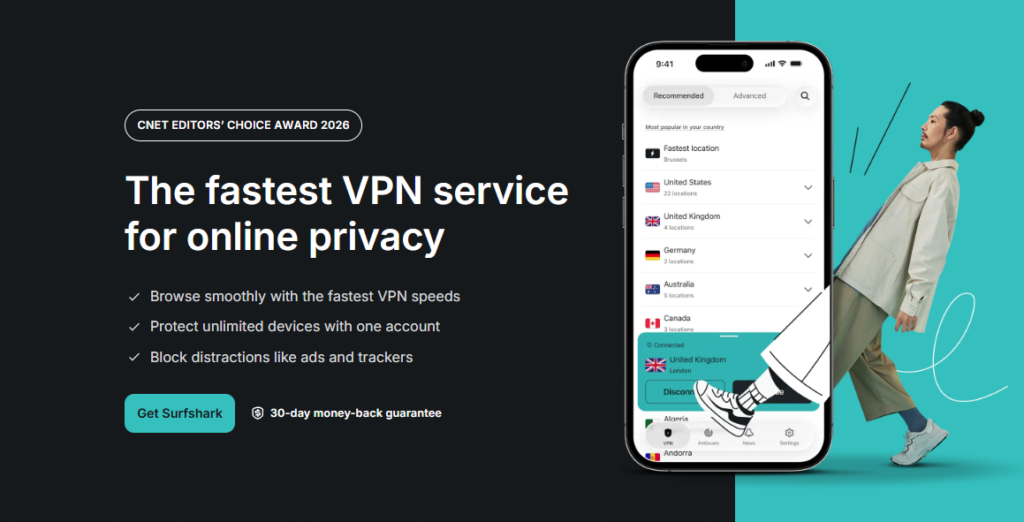
What Is Surfshark? A Quick Overview
Surfshark is a Netherlands-based VPN provider that’s taken the cybersecurity world by storm. Founded with a mission to make online privacy accessible to everyone, it has rapidly grown into one of the most trusted names in the industry.
Unlike traditional VPNs that limit you to five or ten devices, Surfshark lets you connect an unlimited number of devices simultaneously. Yes, you read that right. Every smartphone, laptop, tablet, smart TV, gaming console—even your smart fridge—can be protected under one account.
But here’s what truly sets Surfshark apart: it’s not just a VPN. It’s a comprehensive security suite that includes:
- Surfshark One: Adds antivirus protection, real-time data breach alerts, and a private search engine
- Surfshark One+: Advanced identity protection tools on top of everything else
The company takes transparency seriously, publishing regular transparency reports and undergoing multiple independent security audits by respected firms like Cure53, Deloitte, and SecuRing. In fact, the most recent audit by SecuRing in January 2026 confirmed “no critical vulnerabilities” and “strong protection against real-world attack scenarios”.
Surfshark Price: How Much Does It Really Cost in 2026?
Let’s talk dollars and cents. The Surfshark cost is one of its biggest selling points, but you need to understand the pricing structure to avoid surprises.
Surfshark Pricing Plans (2026)
| Plan | Monthly | Annual | Biennial (2 Years) |
|---|---|---|---|
| Starter | $15.45 | $2.98/month | $1.78/month |
| One | $17.95 | $3.38/month | $2.08/month |
| One+ | $20.85 | $6.98/month | $4.18/month |
What Each Plan Includes
Surfshark Starter: Full VPN protection with unlimited devices, 4,500+ servers, ad-blocking (CleanWeb), IP rotator, and MultiHop double encryption.
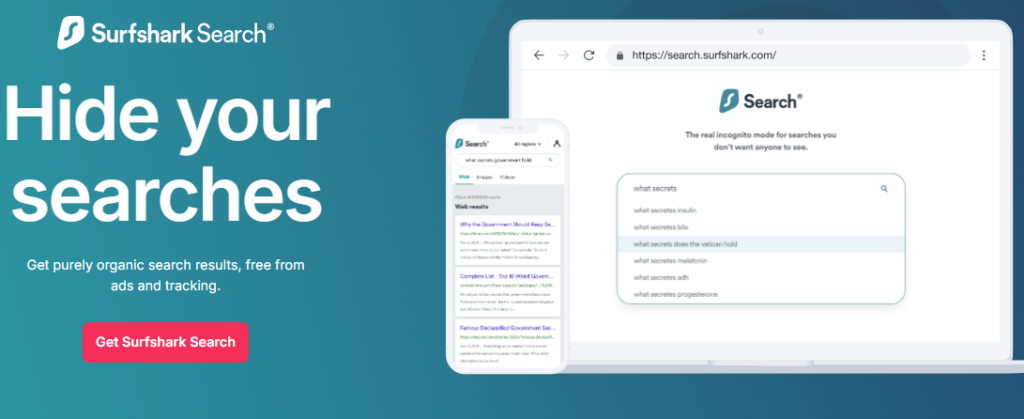
Surfshark One: Everything in Starter, plus antivirus protection, real-time data breach alerts (Surfshark Alert), and a private, ad-free search engine (Surfshark Search).
Surfshark One+: Everything in One, plus advanced identity protection tools.
The Renewal Catch (Important!)
Here’s where many users get tripped up. The Surfshark price after the promotional period jumps significantly:
That’s still competitive, but it’s worth noting. The best strategy? Lock in a long-term plan during major sales events like Surfshark Black Friday or Cyber Monday deals.
Is Surfshark Worth the Cost?
Absolutely. At $1.78/month for the 2-year Starter plan, you’re getting one of the cheapest premium VPNs on the market. Even at renewal prices, it undercuts many competitors while offering unlimited connections—a feature most rivals charge significantly more for.
Surfshark Speed and Performance: How Fast Is It Really?
A VPN is only as good as its speed. After all, what’s the point of privacy if your internet crawls to a halt?
Speed Test Results
Independent tests show Surfshark consistently ranks among the fastest VPNs available:
- CNET’s 2025 tests: Only a 17% average internet speed loss
- PCMag’s testing: Just a 7.73% decrease in download speeds and 7.12% decrease in upload speeds
- NordVPN comparison: NordVPN is slightly faster (as low as 1.94% loss), but Surfshark holds its own impressively
What This Means for You
- 4K streaming: Smooth, buffer-free Netflix and Disney+ viewing
- Gaming: Minimal lag, even on distant servers
- Torrenting: Fast downloads with P2P-optimized servers
The key to Surfshark’s speed is its use of the WireGuard protocol, which is lighter and faster than older protocols like OpenVPN. It also recently introduced its proprietary Dausos protocol, backed by quantum-resistant AEGIS-256X2 encryption, offering dedicated tunnels that adapt to network conditions.
Surfshark Security and Privacy: Can You Trust It?
This is the heart of any Surfshark review. Let’s break down exactly how Surfshark protects your data.
No-Logs Policy (Audited by Deloitte)
Surfshark operates under a strict no-logs policy—meaning it doesn’t track, collect, or store your online activity. This policy was independently verified by Deloitte in 2025, confirming that Surfshark adheres to the highest privacy standards.
RAM-Only Servers
All Surfshark servers run on RAM-only memory. This means every time a server is rebooted, all data is wiped clean. Nothing is stored on hard drives. This is the gold standard for VPN privacy.
Advanced Security Features
- CleanWeb: Blocks ads, trackers, and malicious sites before they load
- MultiHop (Double VPN): Routes your traffic through two VPN servers for double encryption
- IP Rotator: Regularly changes your IP address without disconnecting you
- Bypasser (Split Tunneling): Choose which apps use the VPN and which don’t
- Kill Switch: Automatically cuts your internet if the VPN drops
Independent Security Audits
Surfshark has undergone multiple audits by respected firms:
- Cure53: Security audit of browser extensions
- Deloitte: No-logs policy verification
- SecuRing: Infrastructure audit (January 2026) confirming no critical vulnerabilities
Jurisdiction: The Netherlands
Surfshark is headquartered in the Netherlands, which is part of the 14 Eyes intelligence alliance. However, the company maintains that its no-logs policy and independent audits ensure user privacy regardless of jurisdiction.
Surfshark for Streaming: Can It Unblock Netflix, Disney+, and More?
If you’re looking to access geo-restricted content, Surfshark is a top-tier choice.
Streaming Performance
Surfshark consistently unblocks major streaming platforms:
- Netflix: Works with multiple regional libraries (US, UK, Japan, etc.)
- Disney+: Reliable access
- BBC iPlayer: Smooth streaming
- Hulu: Works without issues
- Hotstar: Supported
Smart DNS for Devices Without VPN Support
For devices that don’t natively support VPNs (like some smart TVs and gaming consoles), Surfshark offers Smart DNS. This lets you stream geo-blocked content on:
Netflix Reliability Note
It’s worth mentioning that the VPN streaming environment is constantly evolving. Some tests show Surfshark is about 33% reliable at unblocking Netflix—which is actually on par with or better than competitors. The key is to connect to the right server and clear your browser cache.
Surfshark App for Every Device: Complete Compatibility Guide
One of Surfshark’s greatest strengths is its universal compatibility. Here’s a breakdown of Surfshark apps for every platform:
Surfshark for Windows and Mac
- Surfshark app for Windows: Full-featured desktop client with all security tools
- Surfshark app for Mac: Clean, intuitive interface with split tunneling support (Bypasser)
- Surfshark Windows 11: Fully compatible
Surfshark for Mobile
- Surfshark Android: Available on Google Play with Override GPS feature
- Surfshark iOS: Available on the App Store
- Surfshark iPhone and iPad: Full feature set
Surfshark for Firestick and Android TV
- Surfshark Firestick: Easy installation via Amazon App Store
- Surfshark on Firestick: Works on Fire TV Stick, Fire TV, and Fire TV Cube
- Surfshark Android TV: Native app for all Android TV devices
Surfshark for Browsers
- Surfshark Chrome extension: Lightweight VPN for browsing
- Surfshark for Firefox: Available as a browser extension
- Surfshark Edge: Supported
Surfshark for Other Devices
- Surfshark Linux and Surfshark Ubuntu: Command-line and GUI options available
- Surfshark Router: Can be configured on compatible routers
- Surfshark Chromebook: Android app works seamlessly
- Surfshark Apple TV: via Smart DNS
How to Set Up Surfshark on Firestick: Step-by-Step Guide
One of the most common questions in any Surfshark review is about Firestick setup. Here’s how to do it:
Step 1: Subscribe to Surfshark
Visit the Surfshark website and choose a plan. The 2-year plan offers the best value.
Step 2: Install the Surfshark App on Firestick
- Turn on your Firestick and navigate to the home screen
- Go to the Search tab (magnifying glass icon)
- Type “Surfshark” using the on-screen keyboard
- Select the Surfshark VPN app from the results
- Click Download or Get
Step 3: Log In to Your Surfshark Account
- Open the Surfshark app on your Firestick
- Enter your Surfshark login credentials (email and password)
- Click Sign In
Step 4: Connect to a VPN Server
- Tap the Connect button (or choose the “Fastest Location” option)
- Wait for the connection to establish
- You’re now protected!
Bonus Tip: Surfshark on Fire TV Cube and Older Firesticks
The same process works for Fire TV Cube and older Firestick models running Fire OS 6.0 or later. If you encounter issues, try clearing your Wi-Fi settings and reconnecting.
Surfshark vs NordVPN: Which One Wins in 2026?
This is the billion-dollar question. Both are excellent VPNs, but they serve slightly different needs.
The Verdict
- Choose Surfshark if you want unlimited connections, a lower price, and don’t mind slightly slower speeds on distant servers
- Choose NordVPN if raw speed and a larger server network are your top priorities
Both are excellent choices. Surfshark’s unlimited device policy is genuinely unique and a huge win for families or anyone with multiple gadgets.
Surfshark Free Trial and Money-Back Guarantee
Is There a Free Surfshark?
Surfshark doesn’t offer a permanent free Surfshark plan. However, there are ways to test it:
- 30-Day Money-Back Guarantee: Every Surfshark subscription comes with a 30-day money-back guarantee. You can use the service risk-free and get a full refund if you’re not satisfied.
- Free Trial Periods: Occasionally, Surfshark runs promotions offering Surfshark 3 months free or Surfshark 4 months free on long-term plans.
- Surfshark deals: Keep an eye on Surfshark Black Friday, Cyber Monday, and EOFY sales for massive discounts.
How to Get Surfshark for Free (Legitimately)
- Use the 30-day money-back guarantee as your free trial
- Look for Surfshark free account promotions from influencers
- Check for try Surfshark for free deals on the official website
Warning: Avoid “free Surfshark account” generators or cracked versions—they’re scams that can compromise your security.
Surfshark Customer Service: How Good Is It?
Surfshark customer service is available 24/7 through:
- Live chat: Available on the Surfshark website
- Email support: Response within 24 hours
- Knowledge base: Extensive guides and FAQs
In my experience, the live chat support is responsive and helpful. Response times are typically under 2 minutes for basic queries.
Surfshark Alternatives: How Does It Compare?
If you’re considering other options, here are some Surfshark alternatives:
- NordVPN: Faster speeds, larger server network, but more expensive
- ExpressVPN: Premium privacy, but significantly more expensive
- Proton VPN: Excellent free plan, but limited features
- Mullvad: Strong privacy focus, but fewer servers and struggles with streaming
Surfshark strikes the best balance of price, features, and unlimited connections for most users.
Is Surfshark Legit? The Final Verdict
Let’s address the elephant in the room: is Surfshark legit?
- Yes, absolutely. Surfshark is a legitimate, well-established VPN provider with:
Surfshark Pros and Cons
Pros ✅
- Unlimited simultaneous connections
- Affordable long-term pricing
- RAM-only servers
- Strong streaming support
- Innovative security features (IP Rotator, Dynamic MultiHop)
- Independent audits (Deloitte, Cure53, SecuRing)
Cons ❌
- Renewal price jump after first term
- Slightly slower on distant servers compared to NordVPN
- No permanent free plan
- Smaller server network than NordVPN
- May not work consistently in restrictive countries like China
FAQ: Everything You’ve Ever Wanted to Ask About Surfshark
1. Is Surfshark safe to use?
Yes, Surfshark is completely safe. It uses military-grade AES-256 encryption, has a strict no-logs policy independently audited by Deloitte, and operates RAM-only servers. It has passed multiple independent security audits.
2. How much does Surfshark cost?
The Surfshark cost starts at **$1.78/month** for the 2-year Starter plan. Monthly plans are $15.45. Renewal prices are higher, so lock in a long-term deal.
3. Can I use Surfshark on Firestick?
Absolutely! The Surfshark Firestick app is available on the Amazon App Store. Simply search for “Surfshark,” download, log in with your Surfshark account, and connect.
4. Does Surfshark work with Netflix?
Yes, Surfshark works with Netflix, Disney+, BBC iPlayer, and Hulu. However, Netflix unblocking reliability is around 33%, which is standard for the VPN industry.
5. What’s the difference between Surfshark Starter, One, and One+?
Starter is the basic VPN. One adds antivirus, data breach alerts, and a private search engine. One+ adds advanced identity protection.
6. Is there a Surfshark free trial?
Surfshark doesn’t offer a permanent free plan, but you can test it risk-free with the 30-day money-back guarantee. Long-term plans sometimes include 3 or 4 months free.
7. How many devices can I connect with Surfshark?
Unlimited devices. This is one of Surfshark’s standout features.
8. Does Surfshark work in China?
Surfshark may not work consistently in restrictive countries like China. However, it does offer obfuscated servers designed to bypass VPN blocks.
9. Can I use Surfshark on my router?
Yes, Surfshark can be configured on compatible routers. This lets you protect every device on your network, including smart TVs and consoles.
10. Does Surfshark keep logs?
No. Surfshark has a strict no-logs policy independently audited by Deloitte. They don’t track, collect, or store your online activity.
Final Thoughts: Is Surfshark Worth It in 2026?
After weeks of testing and analysis, the answer is a resounding yes.
Surfshark isn’t just another VPN—it’s a complete privacy ecosystem that delivers exceptional value. The unlimited device policy alone makes it a no-brainer for families, shared households, or anyone with multiple gadgets. Add in the affordable pricing (as low as $1.78/month), impressive speeds, strong security (with independent audits), and excellent streaming support, and you have one of the best VPNs on the market.
Yes, the renewal price jump is worth watching, and NordVPN is slightly faster. But for the vast majority of users—especially those who value unlimited connections, budget-friendly pricing, and a feature-rich experience—Surfshark is the clear winner.
My recommendation: Grab the 2-year Surfshark Starter plan (the best value at $1.78/month), test it with the 30-day money-back guarantee, and experience the peace of mind that comes with truly private, unrestricted internet access.
Your data deserves better. And with Surfshark, you get exactly that.





Leave feedback about this